You’re running automated tests, and something breaks (happens almost every time). Normally, you’d have to pause everything, dig through logs, and manually fix the broken tests—a frustrating and time-consuming process. Now imagine this: instead of halting your entire process, the tests fix themselves and keep going. No disruptions, no manual fixes. Sounds like something from a sci-fi movie, right? Self-healing test automation makes this possible. Let’s dive into how it works and why it’s changing the future of software testing.
Self-healing test automation automatically adapts tests to UI changes without manual intervention, allowing tests to continue running even when elements change.
The self-healing process works by analysing failed elements, using alternative identification methods like visual recognition, and dynamically updating test scripts during execution.
Organisations implementing self-healing automation typically reduce test maintenance overhead by nearly 50% while improving the reliability of their CI/CD pipelines.
Self-healing tests have limitations with dynamic content, similar-looking elements, and major redesigns, requiring regular human review of automated fixes.
Effective implementation requires setting confidence thresholds (80-90%) for accepting automatic fixes and maintaining logs of all healing actions to prevent masking actual application bugs.
Automated tests that fix themselves when elements change? Self-healing automation is transforming QA by cutting maintenance work in half while keeping tests running smoothly. Discover how this AI-powered approach works and what pitfalls to avoid 👇
What is self-healing test automation?
Self-healing test automation is an advanced testing approach where automated tests automatically adapt to changes in the system under test. Too technical? Let’s give you a short example.
Imagine a button gets renamed or a field’s position changes during a software update. Normally, your tests would fail instantly. However, with self-healing test automation, the tests recognise these changes and adjust themselves. No crashes.
So how is this different from regular test automation? Traditional automated tests require manual updates whenever something changes. Self-healing automation is when your tests get smart enough to fix themselves when things break. The AI scans failed tests, picks up visual patterns and context clues, then swaps out broken locators automatically while your tests are running. You need to implement visual recognition alongside your standard locators. When a button moves or gets a new ID, the system spots it visually and updates the script on the spot — no manual intervention needed.
Is it the same as test maintenance tools? Not quite. Test maintenance tools help you manage broken tests after they fail. Self-healing automation prevents failures in the first place by adjusting test scripts in real-time. It’s proactive rather than reactive.
Instead of seeing this process as a cool addition to your testing efforts, you should look at it as a future necessity. Why? Let’s explain the importance of it.
Automate 200% of your testing with 100% AI-powered solution
Software development never slows down. New features, UI updates, and code changes happen constantly. All these make automated tests fragile and prone to failure. And fixing broken tests after every small change can feel like an endless cycle as they delay releases and drain your team’s energy. Self-healing test automation, on the other hand, keeps your tests up and running, no matter what changes behind the scenes.
Here’s why it matters:
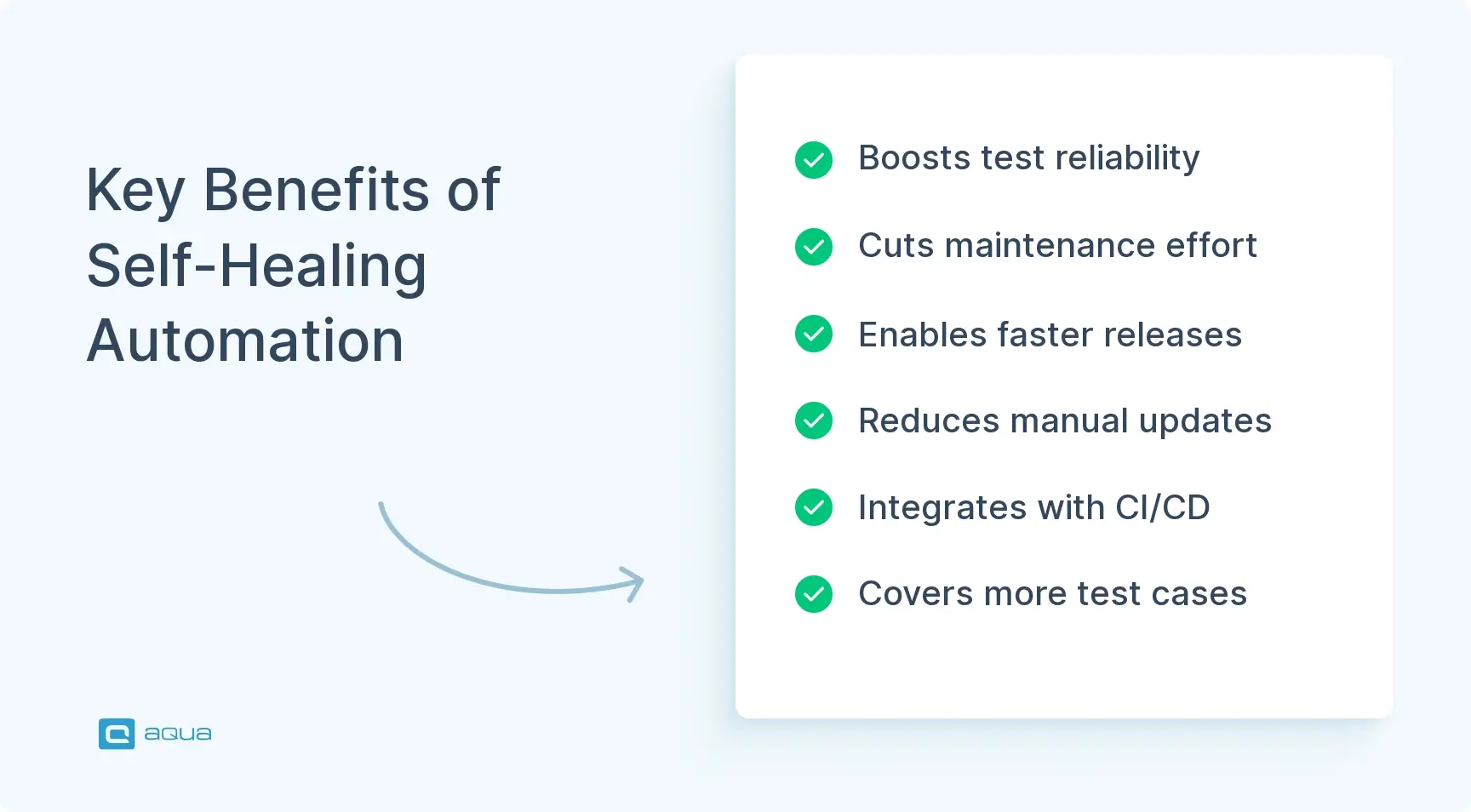
Minimises Test Maintenance: Think about how much time your team spends fixing broken tests after updates. With self-healing, tests automatically adjust to changes. It lets your QA team focus on more critical tasks.
Improved CI/CD efficiency: Every broken test is potential downtime for your CI/CD pipeline. Self-healing tests fix themselves instantly. It keeps your development flow uninterrupted.
Speeds Up Releases: Faster test maintenance means quicker feature rollouts. No more waiting for manual fixes—your tests keep up with your release schedule.
Enhances Reliability: Flaky tests can cause false alarms or missed bugs. Self-healing tech stabilises your testing process in terms of accuracy and dependability.
Cuts Costs: Manual test maintenance costs you time and money. Automating this process reduces labour expenses while boosting productivity.
You see why self-healing will become even more important in the future? Let’s also look at the benefits the process brings.
There isn't much AI into self healing currently . Its just a smart mechanism to try out the next best properties to locate elements. So if they call it AI to suit their marketing needs then be it.
Here’s what makes self-healing test automation invaluable:
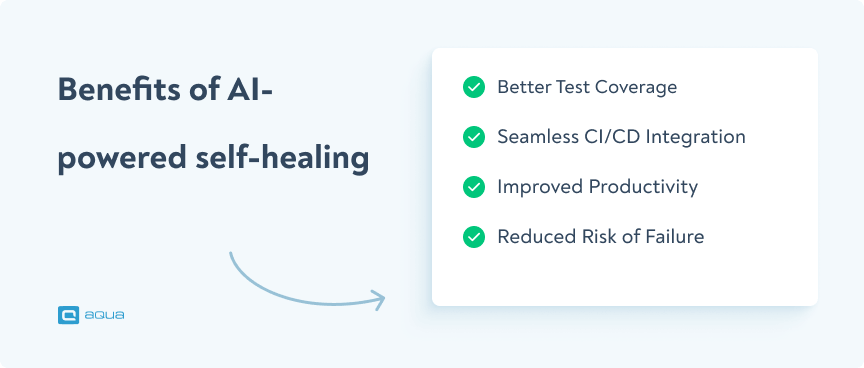
Better Test Coverage: Instead of wasting time fixing broken tests, your team can build more comprehensive test cases. This way, you can cover more features and reduce the risk of bugs slipping through.
Seamless CI/CD Integration: Continuous integration requires constant testing. Self-healing ensures that your tests don’t slow down releases, even during frequent updates.
Improved Productivity: Imagine how much more your team could achieve if they didn’t have to fix failing tests every day. Self-healing lets them focus on valuable work like developing new features and improving test strategies.
Reduced Risk of Failure: Self-healing deals with the issues without any intervention, and on time. It helps you avoid costly production issues that could harm your product’s reputation.
With these advantages, you can see self-healing test automation isn’t just an addition – it’s essential (and will become even more essential) for staying competitive in the software industry.
You know what else can help you see these benefits? An AI-powered Test Management System (TMS) that not only integrates well with your automation integrations but also provides a lot of cool AI capabilities.
That is where aqua cloud comes into play. From AI-powered requirements, test cases, and test data creation IN SECONDS to 100% test coverage, it ensures you’re always prepared, even when tests break. Real-time visibility and full traceability of requirements, test data, and results give you the confidence that no issues are slipping through. Seamless integrations with Jira, Selenium, Jenkins, and native bug-recording extension Capture ensure smooth collaboration, reducing manual effort and increasing productivity. Plus, a centralised repository keeps all your testing data and insights in one place, empowering your team to focus on delivering quality software faster.
Use 100% AI-powered TMS in your test automation efforts
Here’s how self-healing automation actually works when your tests break: the system spots interface changes and kicks in immediately. When element locators fail, it grabs data about the missing piece, previous attributes, text labels, where it sat in the DOM, and even how it looked visually. Then AI kicks in to hunt down the best replacement match and updates your test on the spot.
Don’t rely on it for critical paths initially—let it prove itself on lower-stakes scenarios first. When the system encounters a failure due to changes in elements (like renamed buttons or fields), it doesn’t stop. Instead, it recognises the change and automatically updates the test script to reflect the new element. This ensures continuous testing without human intervention, reducing downtime and manual maintenance. Let’s look at the key steps of the process.
Element Identification in Self-Healing Tests
In a self-healing test, when the script runs, it first identifies key elements based on unique attributes like IDs, names, or classes. When the element’s identifier changes, the test doesn’t fail. It adapts by finding alternative ways to recognise the same element. With this, your test continues uninterrupted.
Organised Execution of Tests
Test execution in self-healing automation follows a streamlined process where each test is systematically executed. When an issue arises, the self-healing mechanism steps in to adjust the test dynamically. This approach ensures that tests are completed as scheduled, with minimal interruptions, even when changes occur in the system.
Analysing Issues in Self-Healing Tests
When a test fails due to a change in the application, the self-healing mechanism doesn’t just identify the issue; it also analyses it. The system compares the new element with the previous version, checking if the functionality remains the same. This helps prevent false positives and addresses only relevant changes.
The Self-Healing Process in Action
Once the system identifies a problem, it automatically updates the test script with the new element’s properties. This ensures that future tests run smoothly without needing manual updates. The self-healing process not only fixes the immediate issue but also adapts the testing framework for future changes, optimising long-term test maintenance and execution.
Now, let’s look at a practical example of it.
Self-Healing Test Automation vs Traditional Test Maintenance
The core difference between self-healing automation and traditional test maintenance is not about technology. It is about who bears the cost of change.
In traditional test automation, every UI update creates a maintenance task. A developer renames a button ID, a designer shifts a form field, an engineer refactors page structure, and suddenly a dozen tests fail. None of these failures indicate a real bug in the product. They indicate that the test scripts were written to find specific elements in a specific way and the application moved on. Someone on the QA team now has to manually update each locator, re-run the suite, and confirm the fix. This work compounds over time. As the application grows, so does the maintenance backlog.
Automated test-healing inverts this dynamic. Instead of the test breaking when an element changes, the framework detects the change, cross-references the other attributes it stored for that element, identifies the best alternative match, updates the locator, and continues execution. The test run completes. A log entry records what changed. A human can review the healing action later, approve or reject it, and the suite stays current without a manual sprint.
The practical difference at scale:
Traditional maintenance: One UI refactor can produce dozens of broken tests requiring individual manual fixes, often taking days.
Self-healing: The same refactor is detected and resolved automatically in the same test run, with a review log available for QA sign-off.
Traditional maintenance: Test maintenance effort grows linearly with test suite size.
Self-healing: Maintenance effort stays relatively flat even as the suite expands, because routine locator failures no longer require human intervention.
Traditional maintenance: Flaky tests and locator breaks create noise in the CI pipeline, delaying builds and eroding developer trust in test results.
Self-healing: Fewer false failures mean the pipeline stays green for the right reasons, and real failures stand out clearly.
The limitation of self-healing compared to traditional maintenance is transparency. When a human fixes a broken locator, they understand why it broke. When an automated test-healing system fixes it, the QA team must actively monitor healing logs to catch cases where the framework matched the wrong element. Self-healing reduces workload but requires a review discipline to stay reliable.
How to Implement Self-Healing Test Automation Step by Step
Self-healing test automation benefits are only realised if the implementation is done in a controlled, staged way. Rushing the rollout is the most common reason teams end up with a suite that heals itself into unreliable results.
Step 1: Audit your current test maintenance burden. Before you implement anything, quantify the problem. How many tests break per sprint due to UI changes rather than real bugs? How many hours per week does your team spend updating locators? This baseline is what you will measure against later.
Step 2: Start with your highest-churn areas. Do not enable self-healing across your entire suite on day one. Identify the parts of the application that change most frequently, typically front-end UI components, checkout flows, navigation elements, and form fields. Apply self-healing to those first.
Step 3: Choose a tool that matches your current stack. If your team uses Selenium, look for frameworks that add healing capabilities on top of it (Healenium is a common open-source option). If you are open to a dedicated platform, Testim and Mabl both offer mature self-healing with ML-driven locator fingerprinting. For teams wanting centralised test management alongside healing, aqua cloud integrates automation tools including Selenium and manages all test results in one place.
Step 4: Build multi-attribute element profiles before your first run. Self-healing works by comparing multiple attributes when a primary locator fails. The more attributes stored per element at baseline, the more accurate the healing will be. Configure your tool to capture IDs, class names, visible text, DOM position, and ARIA labels at minimum.
Step 5: Enable healing logs and set a review workflow. Every healing action should be logged and reviewed by a human before being permanently accepted. Most tools offer a dashboard for this. Assign a team member to review healing actions after each test run, especially in the early weeks of rollout.
Step 6: Set thresholds for when healing should escalate rather than fix. If a test requires healing in three consecutive runs on the same element, that is a signal the application has changed in a way that warrants a manual review, not another automatic fix. Configure your tool to alert the team in this scenario.
Step 7: Measure and expand. After two or three sprints, compare your maintenance hours and false failure rate against the baseline you measured in Step 1. If the numbers support it, expand self-healing coverage to more of the suite.
Best Practices and Governance for Self-Healing Automation
Self-healing automation works best when you combine its smart adaptability with thoughtful oversight. Successful teams set confidence thresholds (usually around 80-90%) before accepting automatic fixes and specify which elements, like buttons, links, and form fields, they should auto-heal versus require manual review.
So, create a simple log that captures every healing action. You’ll want to see what broke, how it got fixed, and the confidence score. This prevents the biggest trap teams fall into, letting the AI mask actual application bugs by ‘fixing’ tests that should legitimately fail.
The sweet spot? Integration with your source control means accepted heals get properly merged back into your test suite, making it stronger over time. Most teams see their maintenance overhead drop by nearly half while catching more real issues. Your tests become both smarter and more reliable—that’s the goal.
An Example of a Self-Healing Test
Imagine you’re testing an e-commerce site with an updated checkout process. Initially, the “Proceed to Checkout” button is identified as “checkoutButton”:
<button id=”checkoutButton”>Proceed to Checkout</button>
Later, the development team changes the ID to “checkoutProceedButton” as part of a UI redesign:
<button id=”checkoutProceedButton”>Proceed to Checkout</button>
In a traditional automated test, the script looks for the original ID, “checkoutButton.” If it doesn’t find it, the test will fail and it will cause disruptions in your workflow. You will need to manually update the test script to reflect this change.
Here’s where the power of self-healing tests comes in:
Recognising the Change: The self-healing test detects that the ID has changed but notices that the functionality remains the same—it’s still the “Proceed to Checkout” button.
Autonomous Adjustment: It automatically updates the search criteria, now looking for “checkoutProceedButton” instead.
Continuing the Test: The test continues running smoothly without manual intervention. It keeps your pipeline intact.
Updating the Script: The test adapts during execution while also updating the test script for future runs. It always keeps your test aligned with the current UI elements.
This capability keeps you from stopping everything to fix broken tests. As a result, it saves you time and reduces manual errors, so you can focus on more important tasks without worrying about the small details of broken test scripts.
Limitations and Edge Cases of Self-Healing Test Automation
Self-healing automation isn’t bulletproof, and that’s actually a good thing. When your app removes a feature intentionally, the AI might stubbornly ‘fix’ your test by grabbing a similar element that looks right but totally isn’t. Result? False positives that’ll make you question everything.
Pages loaded with dynamic content or dozens of similar-looking elements? They’re like kryptonite for auto-healing accuracy. The AI gets confused trying to pick the ‘right’ button when there are five nearly identical ones.
If major redesigns or business logic changes don’t break your tests, something’s wrong. Good tests should break when significant changes happen — that’s their job.
Set up a simple review process where someone checks healed test cases weekly. Look for patterns like tests that heal repeatedly or fixes that seem off. This way, your tests stay reliable, and you sleep better knowing they’re actually testing what matters.
Conclusion
So, what did we learn here? Self-healing test automation is the future of reliable, efficient software testing. It keeps your tests running, even when unexpected changes occur. By reducing manual maintenance and boosting a lot of crucial metrics of software testing (including speed, resources, cost, etc), it frees your team to focus on what truly matters—building great software. To be ready to embrace smarter testing, you need a solution like aqua cloud that will be by your side for the future of software testing. Never overwhelmed, always in line with the latest software testing revelations. Just contact us and let us take away the pain of testing from you.
Self-healing automation uses AI to automatically detect and fix broken test scripts when the application under test changes. For example, if a button’s ID or location changes, the test won’t fail—it adapts by identifying the new element using attributes like text, position, or behavior. This keeps tests stable even when the UI evolves, reducing manual maintenance.
How do you test self-healing?
To test self-healing, you intentionally change elements in your app—like modifying a label, ID, or class name—and rerun the tests. If the framework adapts and still finds the correct element, self-healing works. You can also check logs or dashboards that show how the fallback mechanism matched alternative selectors or attributes. It’s about validating resilience, not just results.
What is AI self-healing?
AI self-healing combines machine learning and smart selectors to keep automated tests running even when parts of the UI break. It learns from previous test runs, user interactions, or stored element data, and uses this knowledge to locate alternative matches. This makes your test suite more adaptive, intelligent, and maintenance-free—even across complex apps and frequent updates.
What’s the main advantage of self-healing tests in AI-powered testing?
The biggest benefit is dramatically reduced test flakiness and maintenance. Instead of failing on every small UI change, self-healing tests adjust in real time—keeping your CI/CD pipeline green. This leads to faster development cycles, fewer false positives, and more confidence in your releases. Teams spend less time fixing broken tests and more time improving actual quality.
When should you use self-healing test automation?
Self-healing test automation is worth implementing when your team is regularly losing time to UI-driven test failures that do not reflect real product defects. The clearest signal is when a significant share of your broken tests each sprint are caused by renamed elements, repositioned fields, or minor layout changes rather than actual bugs. It is especially valuable in Agile and DevOps environments where the application UI changes frequently across short release cycles. It is less valuable for teams with stable UIs, small test suites, or teams whose test failures are primarily caused by genuine defects rather than locator fragility. Do the audit first. If locator maintenance is not your main pain point, self-healing is not your main solution.
Can self-healing tests hide real bugs?
Yes, and this is the most important risk to understand before implementing automated test-healing. A self-healing framework that is too aggressive will match the wrong element when the original one disappears, allow the test to pass, and log the healing action quietly in the background. If no one reviews those logs, the team may never know a real functional change was silently approved by the framework. The way to manage this risk is to treat healing logs as a required part of your review process, not an optional dashboard. Every healing action should be examined to confirm the framework matched the intended element, not just any element that was close enough to continue execution. Self-healing reduces maintenance burden; it does not eliminate the need for human oversight.
Robert has several years of experience in process optimisation and test management. He is an expert in defining and implementing workflows by adapting aqua to the clients’ processes.
Nurlan, a QA Coordinator & Quality Standards Officer, takes pride in orchestrating seamless QA operations. His expertise in coordinating QA-focused projects and integrating QA solutions has consistently yielded top-tier client satisfaction. Aside from a full-time QA coordinator, Nurlan's role involves creating compelling content that educates…
Join our community of enthusiastic experts! Get new posts from the aqua blog directly in your inbox. QA trends, community discussion overviews, insightful tips — you’ll love it!
We're committed to your privacy. Aqua uses the information you provide to us to contact you about our relevant content, products, and services. You may unsubscribe from these communications at any time. For more information, check out our Privacy policy.
X
🤖 Exciting new updates to aqua Intelligence are now available! 🎉