Test Automation Tools: The Complete Guide to Choosing, Using & Managing Them
Test automation used to be a controversial topic: some engineers believed that they were not worth the effort. Indeed, automated software testing requires both developing specific tests and adjusting your routine to fit them. These days, running full manual is simply not sustainable in the long run. Let’s look at why and how you can make the transition.
Test automation solutions cut down repetitive manual work, reduce human error, and give QA teams more time for exploratory testing.
Not every test is worth automating. Scope should focus on stable, repetitive, and high-impact cases.
Different testing automation tools serve different purposes: Selenium for web UI, SoapUI for APIs, JMeter for load testing, Ranorex for cross-platform coverage.
A test management platform like aqua connects your automation setup and keeps traceability, reporting, and CI/CD integration in one place.
Common pitfalls like over-automating, poor maintenance, and wrong tool selection often cost more time than they save.
Why you need automated software testing
Picking the right test automation solutions is one of the most impactful decisions a QA team makes. The right setup multiplies output; the wrong one creates maintenance debt that slows the whole pipeline down. Here are the reasons why you should use test automation tools.
Efficiency
Imagine your testers spending one hour per week verifying if they can log into the software in different scenarios. Now, imagine if they can click just one button to cover all these angles.
Precision
Manual testing is by definition prone to the human factor. The same number of test steps can bring an incorrect outcome. A specific case can be successfully automated once (and maintained later).
Availability
Some scenarios may not be easy to test. Let’s say your app works on 16:9 tablets but most of them have 4:3 screens. No need to pass one tablet between everyone: just virtualise and automate the test case.
Optimisation
Freeing up testers from mundane tasks helps you get the most out of their time. The QA team will have more time to make better bug reports and do some exploratory testing to improve coverage.
How to make an automated software test
Building a reliable automated test suite starts with a clear process. Jumping straight to tools without defining the scope first is one of the main reasons automation projects run into trouble. Let’s look at the basics of automating software testing.
Define scope
Select the tests that you would like to automate, e.g. solution-wide cases and repetitive cases. Looking at complex tests is great, too. You may automate them later, but you should know your needs now.
Pick the right tools
Explore the test automation market to pick tools covering your scope. Some are rather specialised, such as Selenium for web testing and Soap UI for web testing. Others can fit multiple needs, e.g. Ranorex.
Create automated tests
Here comes the fun part: your QA team gets to automate the tests that you picked. This part may involve some trial or error, including changes in scope and automation tools defined earlier.
Validate, use, maintain
Now that you have the newly automated tests, make sure that they work properly and return valid results. Once everything is green, enjoy the results but make sure that automated tests are up to date!
For further selection criteria, please consult our testing strategy template. It is a practical manual on how to build your QA procedures with plenty of ideas that go beyond picking the right tool.
Get a testing strategy template that enables us to release 2 times faster
"*" indicates required fields
Best automated testing tools
As we mentioned earlier, you would normally use different test tools for different types of automation. Below are some of our picks from best automation testing tools.
Selenium
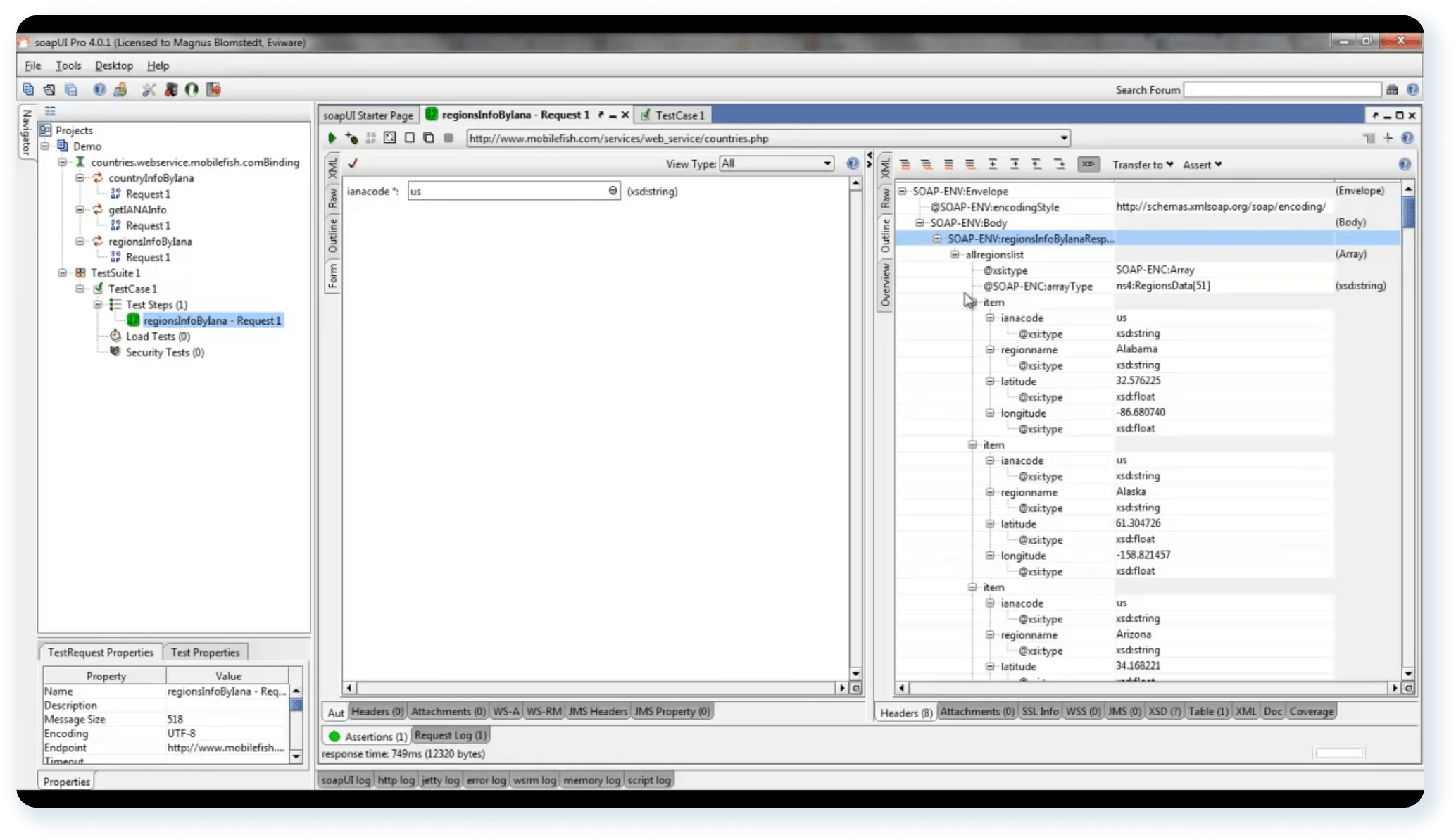
Selenium in action
Selenium is the swiss army knife of QA automated testing tools. It primarily targets web solutions on desktop & mobile OS as well as browsers for them. Selenium is simple to learn due to supporting Python yet also provides room for advanced users.
SoapUI
SoapUI is the king of API software test automation tools. Just like Selenium, it is an open-source and free tool with active developer & community support. SoapUI can hook to your in-house software or test management tools thanks to REST support.
JMeter
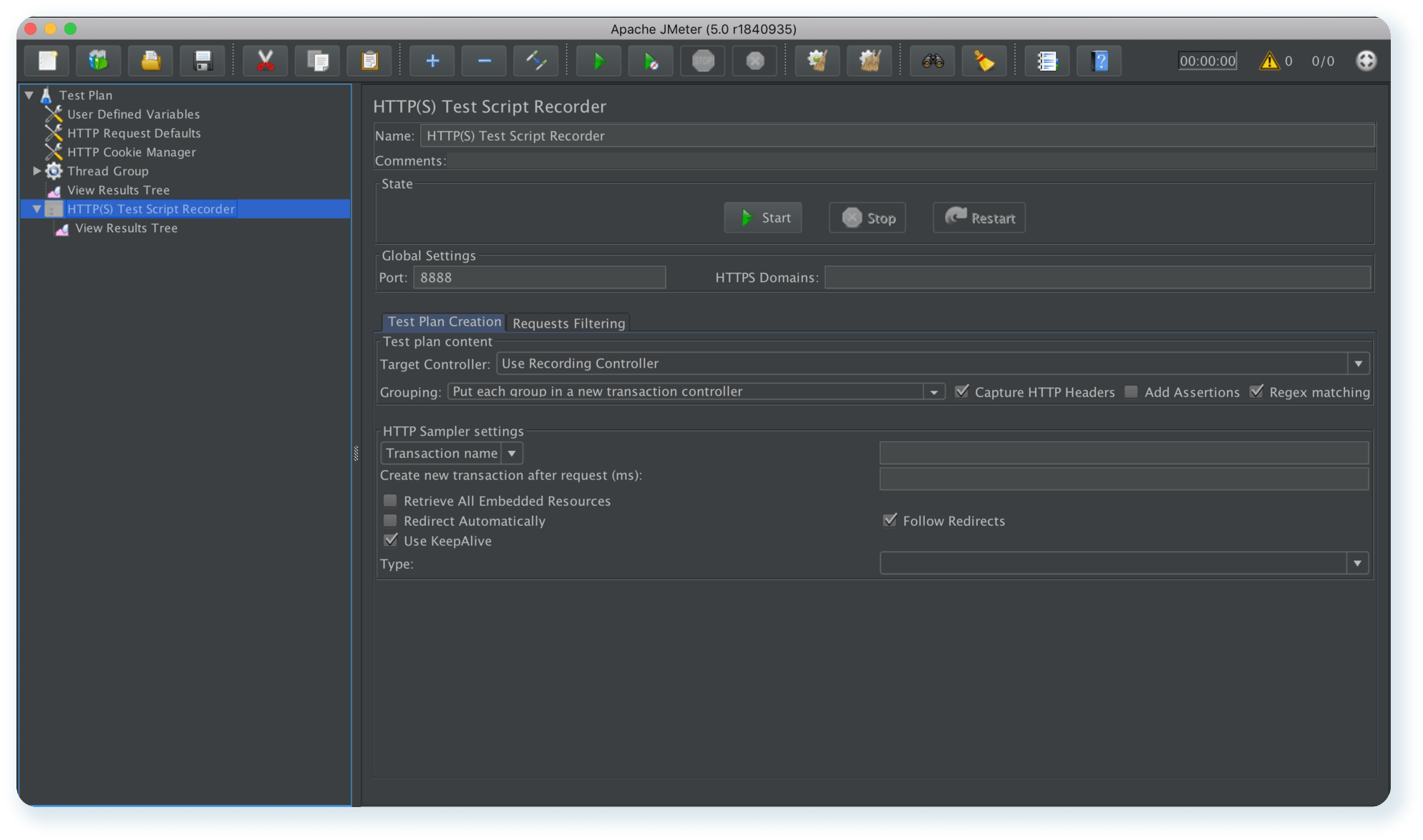
JMeter is designed for load testing, and it has quite some capabilities to automate it. JMeter too supports REST calls as well as third-party libraries to enhance your testing. Some make writing new scripts as simple as using a Chrome extension.
Jenkins
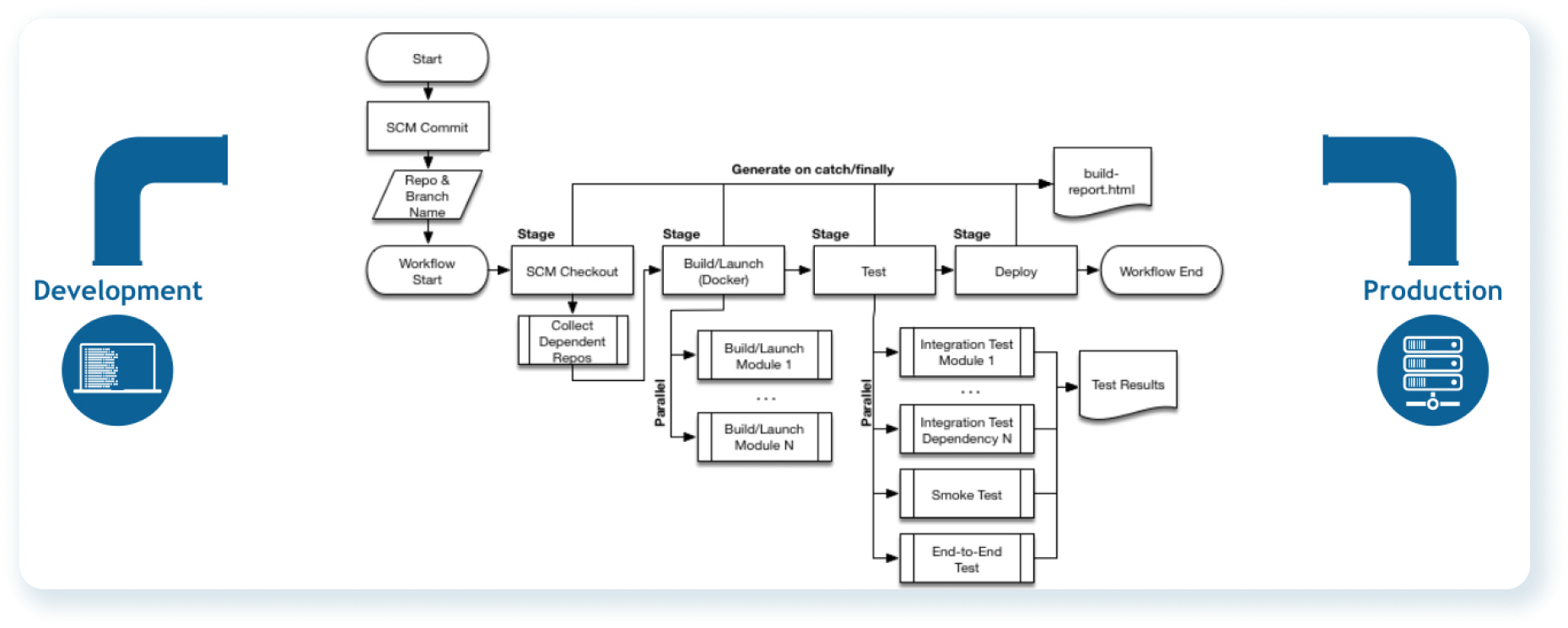
Jenkins pipeline example
Jenkins is an automation server for continuous integration and delivery. This includes quality assurance: automated tests can be used as part of the delivery pipeline. Jenkins runs on Java, so you shouldn’t have much trouble setting it up.
UnixShell
UnixShell has many uses, but QA specialists have long adopted it for test automation. Using shell scripts cuts down on hours of manual labour, and they are very much transferable to and from other automated test software.
PowerShell
PowerShell is the Windows alternative to UnixShell among software test automation tools. They are similar in capabilities and how software testers go about them. PS also supports objective-oriented programming for simplified shell scripting.
Tool
Primary use case
Pros
Cons
Pricing
Selenium
Web UI testing across browsers and OS
Large community, supports multiple languages (Python, Java, C#), flexible, free
No built-in reporting, requires scripting knowledge, no native mobile support
Free / open-source
SoapUI
API testing (REST and SOAP)
Purpose-built for API testing, supports data-driven tests, free tier available
Advanced features require paid version, limited use outside APIs
Free (open-source); Pro from ~$659/year
JMeter
Load and performance testing
Scalable, supports REST/SOAP, extensible via plugins, free
Steep learning curve, resource-heavy for large tests, not suited for functional UI testing
Free / open-source
Ranorex
Cross-platform UI testing (web, desktop, mobile)
No-code recording option, strong object recognition, good built-in reporting
Expensive, Windows-only installation
From ~$3,490 per license
If you are testing web interfaces on a budget, Selenium is the default starting point. SoapUI fits API-heavy projects. JMeter is best reserved for performance and load scenarios. Ranorex suits teams that need cross-platform UI coverage without heavy scripting. In practice, most mature QA teams use a combination of these test automation solutions rather than relying on just one.
Common mistakes when choosing and implementing automation tools
Even experienced teams run into the same issues when rolling out testing automation tools. These are the ones worth knowing before you start.
Over-automating low-value tests. Automating everything sounds like a good idea, but tests that change frequently or rarely catch real bugs eat up maintenance time without returning much value. Automation works best on stable, high-impact flows.
No maintenance plan. Automated tests break when the application changes. Without clear ownership and a scheduled review process, a growing test suite quietly becomes a problem. Test scripts need to be treated the same way as production code.
Choosing tools based on popularity rather than fit. Selenium is widely used, but it is the wrong choice for API testing. SoapUI does not belong in a performance testing pipeline. The tool should match the specific testing type, not just what everyone else is using.
No integration with the rest of the workflow. Test automation solutions that do not connect to your test management platform, CI/CD pipeline, or bug tracker create reporting gaps and slow down defect resolution. Integration is what makes automation useful at scale.
Automating against an unstable application. Running automation against a UI or API that is still changing daily leads to constantly broken scripts. It is worth establishing a stable baseline before building out a regression suite.
Why choose aqua as your automation test management tool
AI testing
aqua is the cutting edge test management solution when it comes to AI. The functionality has been development before ChatGPT even became a thing. You can now quickly cover requirements in a few clicks and update existing tests.
Automated QA & Jira integrations
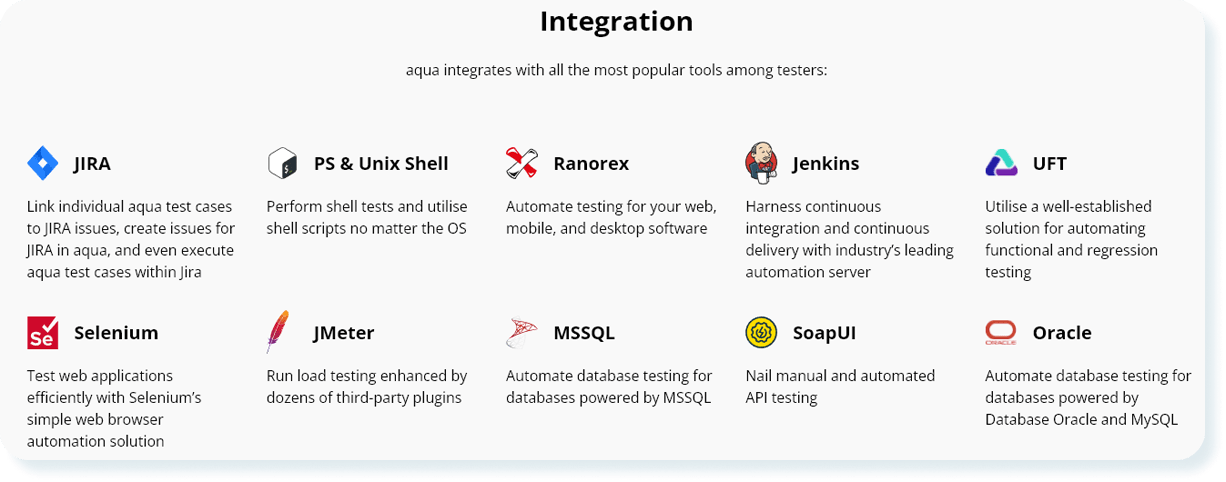
Full list of aqua integrations
aqua has over 10 integrations with leading automated test software. It also comes with a Jira integration: you can either access individual items or fully sync aqua & Jira projects. No extra cost attached.
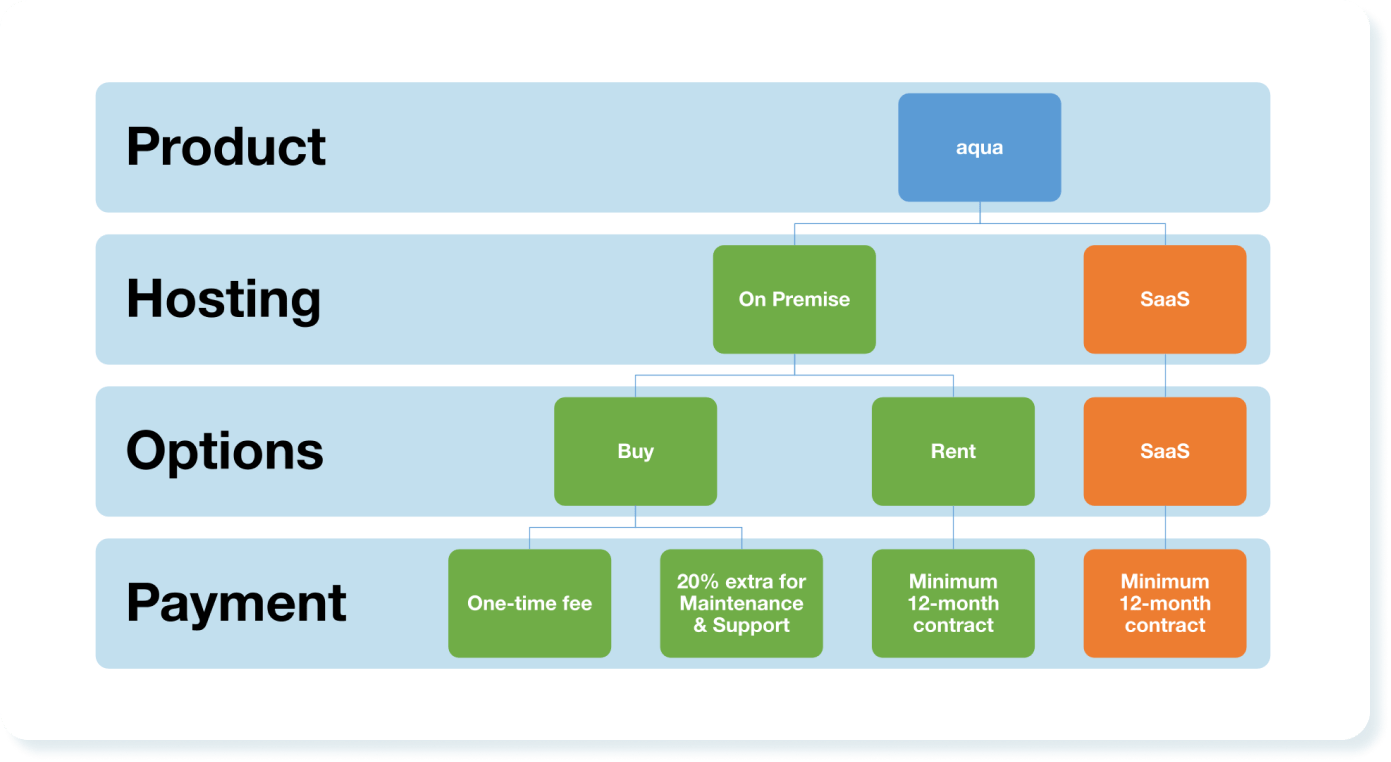
Cloud & On-Premise offerings
aqua’s deployment options
aqua offers both cloud and on-premise versions with virtually identical functionality. On-Premise is not an afterthought for us: we have plenty of clients in banking insurance, and government.
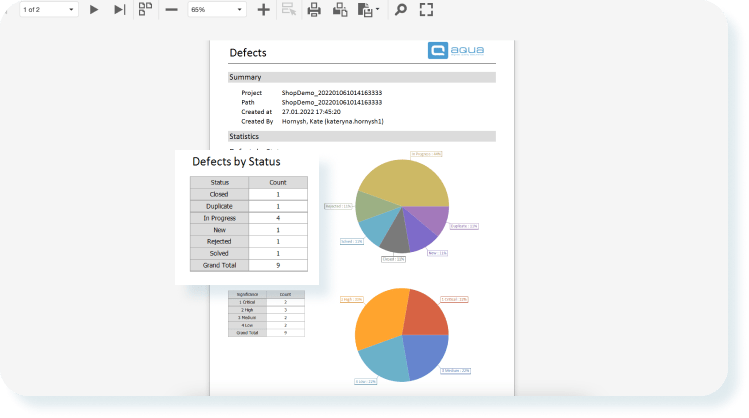
Reporting wizard & dashboards
aqua report example
aqua’s reporting wizard is quick to set up yet comes with quite some depth. You can even execute custom scripts inside the report. Dashboards help visualise progress and support KPI alerts for emergencies.
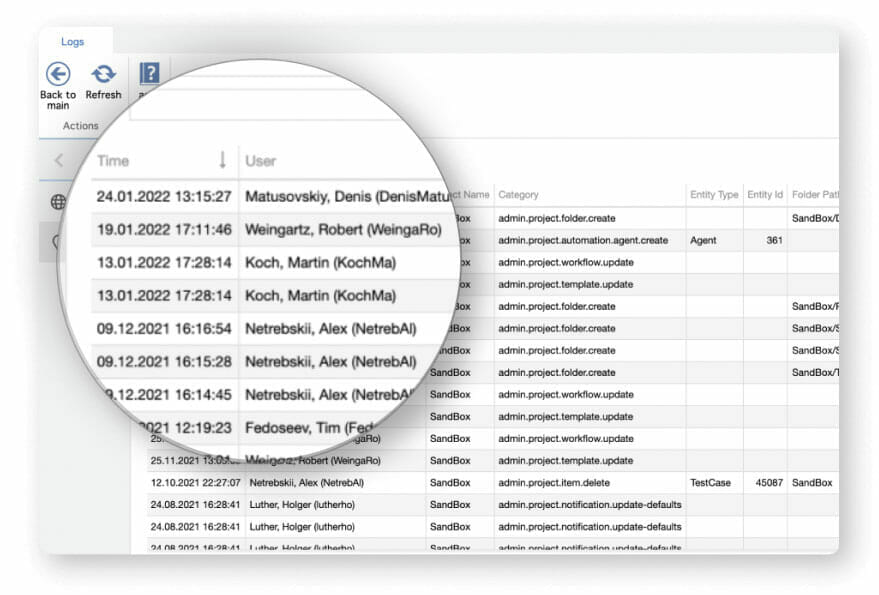
Traceability as a feature
aqua is fully compliant with traceability requirements, proven by our banking and government portfolio. This traceability, however, helps in any industry. You can see all changes to tests and revert if needed.
Robust foundation & infrastructure
aqua works fast and doesn’t slow down even if you have millions of test cases. We have such clients using both Cloud & On-Premise versions without hiccups. Test execution doesn’t throttle for them either.
Conclusion
Test automation tools cover a variety of different niches. They work best when synergised by a test management solution, such as aqua.
QA automation tools are solutions that automate steps done as part of manual testing.
What is the future of automation testing?
The future of automation testing lies in autonomy and predictivity. Artificial intelligence tech is starting to make it into QA software (such as aqua) to go beyond replicating manual testing at scale. Identifying what needs to be tested and even making tests for that is the next step.
Which tool is used in automation testing?
A variety of specialised tools are used for testing different software. The list includes SoapUI, Ranorex, Selenium, JMeter, and more.
How do you decide what percentage of your test suite should be automated vs. manual?
There is no fixed ratio, but a practical starting point is the testing pyramid: automate the bulk of unit and integration tests, a solid portion of regression and smoke tests, and keep exploratory, usability, and edge-case testing manual. The right balance depends on your release cadence, application stability, and team capacity. Many QA leads aim for 70 to 80% automation on stable, repetitive flows, but only after those flows have been validated manually first. If you are unsure where to begin, audit your test suite for frequency, stability, and business criticality.
How do you maintain automated tests when the application under test changes frequently?
Frequent application changes are the main reason automation projects fall apart over time. Practical approaches include using locators that hold up to UI changes (data attributes rather than XPath where possible), keeping test logic separate from test data, setting a regular maintenance review cycle, and connecting your testing automation tools with CI/CD so broken tests surface immediately. In fast-moving codebases, tagging tests by stability also helps. Isolating fragile tests from your core regression suite means they do not block releases while they are being fixed.
EFL teacher turned content QA Specialist and talented writer, Denis has been working with European and American IT companies for 6 years. Denis has excelled in curating and implementing quality strategies tailored to the nuances of each project. Other than building processes and typing away,…
Kate Hornysh is the Product Manager at aqua. Officing from Ukraine, she manages cross-functional collaboration between design, engineering and marketing departments to identify and deliver the best product solutions for our customers.
Home » Test Automation » Test Automation Tools: The Complete Guide to Choosing, Using & Managing Them
Do you love testing as we do?
Join our community of enthusiastic experts! Get new posts from the aqua blog directly in your inbox. QA trends, community discussion overviews, insightful tips — you’ll love it!
We're committed to your privacy. Aqua uses the information you provide to us to contact you about our relevant content, products, and services. You may unsubscribe from these communications at any time. For more information, check out our Privacy policy.
X
🤖 Exciting new updates to aqua Intelligence are now available! 🎉